Brief
Tell AD Director what you want to promote, who it is for and what the advert must say.
AD Director is an AI video ad creator that turns one prompt into a complete production. Write a plain-language brief. AD Director writes the script, plans every shot, generates source visuals, creates video clips and assembles the final ad. Cost shown before each render.
150 free credits on sign-up. No card needed. Clear pricing before each render.
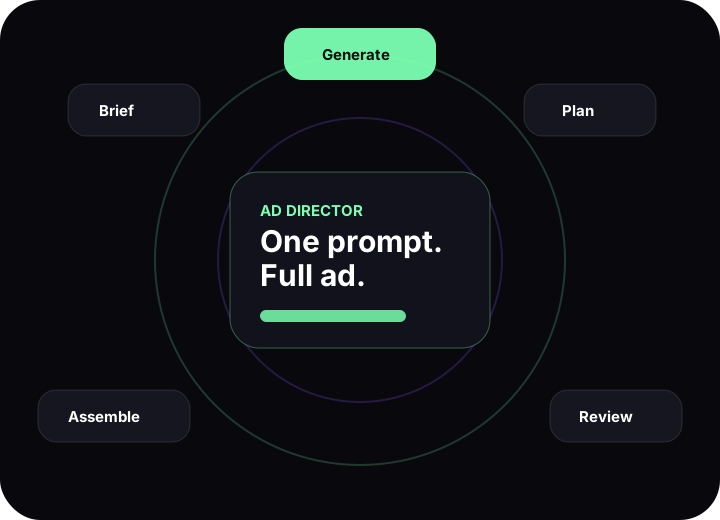
Brief, plan, generate, review and assemble, with cost approval at every paid step.
Most tools stop at one image, one video or one audio file. AD Director works like a full AI production pipeline, with the plan visible before you spend a single credit.
Tell AD Director what you want to promote, who it is for and what the advert must say.
An AI creative director builds a live step-by-step production plan, streamed as you watch.
Run each step one at a time. Create images, video clips and audio after approving the cost.
Approve each asset or send it back for a re-render before the next step moves forward.
The final assembly step unlocks only when every video clip is approved and ready.
AD Director does not throw your budget into a black box. Every planned step gets its own price preview, model choice and approval gate.
Start with a rough idea. AD Director turns it into usable production parts before the heavy rendering begins.
A clear creative route built around your product, audience and offer.
Short, punchy lines for voiceover, actors or on-screen text.
A scene-by-scene breakdown with timing, camera movement and action.
Images for characters, settings, products, props and brand moments.
Detailed motion direction for camera moves, expressions, pace and edits.
Generated clips combined into one ready-to-use video advert.
Ask questions for free. Refine the scene. Change the mood. Request a new shot. New renders become priced steps that you approve before they run.
Ask why a shot works, request options or refine the script without creating a paid render.
When a new image, audio track or video clip is needed, AD Director shows the cost before it starts.
The AI director remembers every step, asset and decision from the full session as you refine.
Create short-form video content without writing every prompt yourself.
Create promo clips for Meta, TikTok, YouTube and LinkedIn.
Turn a product idea into a short, polished launch advert.
Build punchy offer-led videos from one simple message.
Create simple scripted clips that explain what your product does.
Test creative routes before committing to bigger production budgets.
Create reels, shorts and social videos with a clear production plan.
AI ad creation can get messy fast. One image becomes three. One clip becomes five. One re-render becomes a mystery bill. AD Director keeps the plan, steps and cost visible at every stage.
Know what the advert needs before you start generating assets.
Each image, audio and video task is listed clearly in the project.
You approve the render price before it touches your credits.
Everything you need to know before you brief your first AI video ad.
Yes. Type a plain-language brief (product, audience, message) and AD Director builds a full production plan, generates each asset and assembles your final advert. You approve the cost of every paid render before it starts.
AD Director produces an advert concept, a script, a shot list, source images, generated video clips and a final assembled advert. Every step is listed in the production plan before any paid rendering begins.
You start with 150 free sign-up credits. No credit card required. Each render step shows the credit cost and USD equivalent before you approve it. Nothing paid runs until you say yes.
Yes. Before any step generates, you can swap the AI model. Change the model, see the updated cost, then approve or cancel. AD Director supports multiple image and video generation models.
Reject it and send it back for a re-render. AD Director retries up to three times and automatically falls back to a different model if the primary keeps failing.
AD Director is built for marketers, agencies, founders and content creators who need paid social ads, product launch videos, offer campaigns, explainers or short-form content, without writing every AI prompt manually. See full pricing.